

Master your data with
Devart’s Database Tools
Empower your business with advanced database solutions
Get Started with Devart
Contact us for a demo, product resources, and formal quotation.


dbForge Studio for SQL Server
AI-powered IDE for database lifecycle management across Microsoft SQL Server, Azure SQL Database, and related cloud databases and services
SQL Server IDE for Database Development
dbForge Studio is an AI-powered IDE for developers, data architects, DBAs, analysts, and basically everyone who needs a rich toolset for SQL Server and related cloud databases. Think a far superior alternative to SSMS that helps write and optimize SQL code, design and test databases, compare and sync schemas and table data, perform database administration, version-control databases, and complete a vast number of other tasks.
Features Overview
Everything you need to level up your database development
Database development
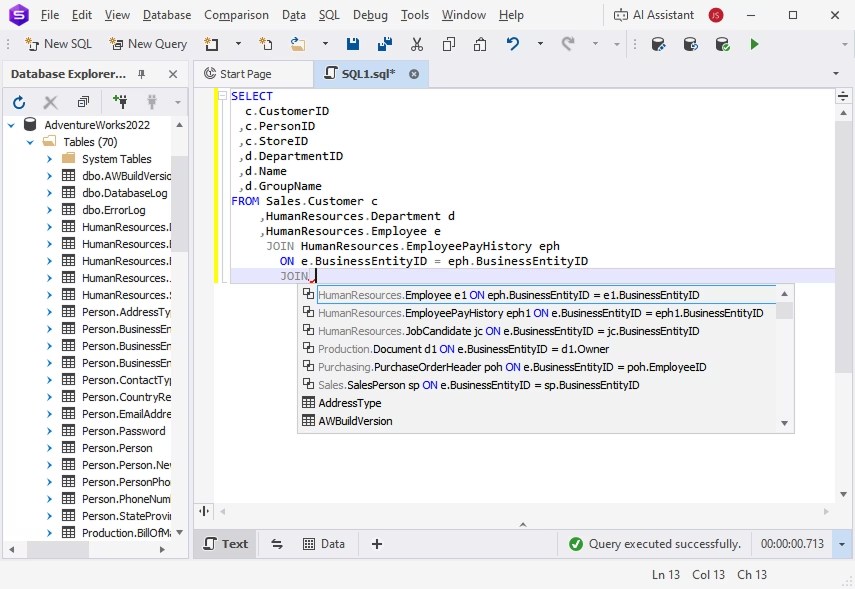
dbForge Studio for SQL Server provides an extensive set of features for database development, from context-aware SQL code completion to the automation of recurring operations.
Capabilities:
- Connect to SQL Server databases
- Edit and run queries in SQL Editor
- Build queries of any complexity visually
- Create unit tests using the tSQLt framework
- Version-control database changes
Database management
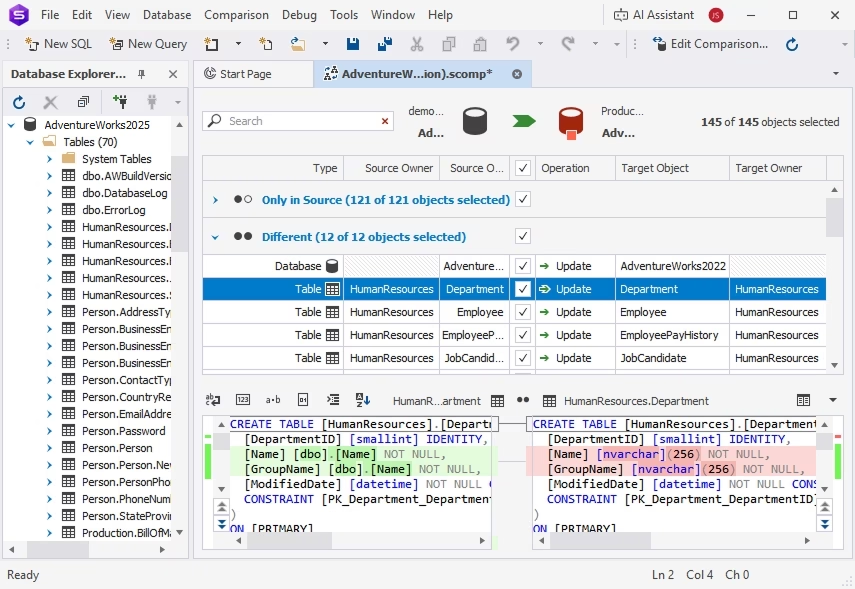
The Studio is a perfect fit for daily database management, offering a number of tools to compare, migrate, and document databases in a matter of moments.
Capabilities:
- Compare and synchronize database schemas
- Compare and synchronize table data
- Copy databases
- Generate documentation in HTML, PDF, or Markdown
- Export/import table data (14 formats in total)
Database administration
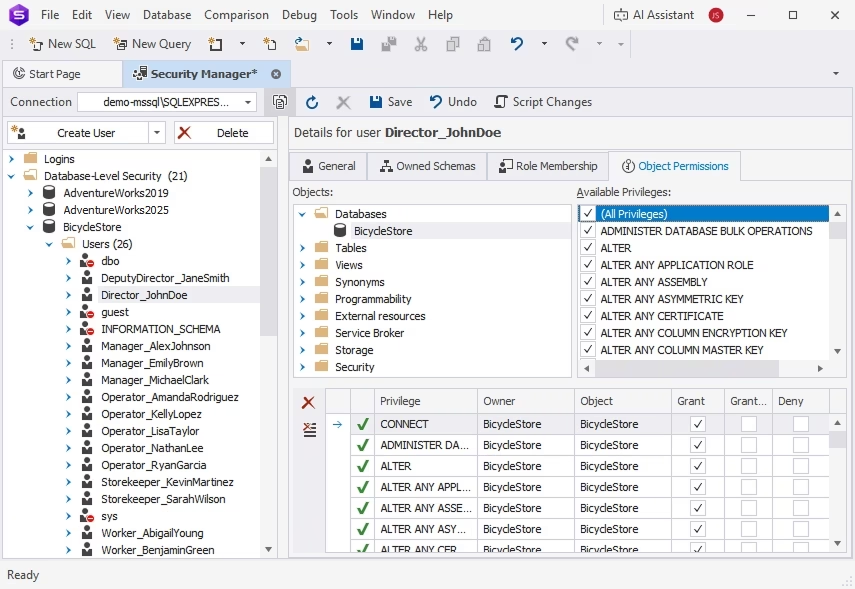
dbForge Studio for SQL Server has a set of database administration tools that help DBAs protect data and resolve potential issues before they can impact databases.
Capabilities:
- Set up user accounts and privileges
- Copy, move, or upgrade SQL Server databases
- Back up and restore databases
- Diagnose server problems using traces
- Find and fix database index fragmentation issues
Data analysis and reporting
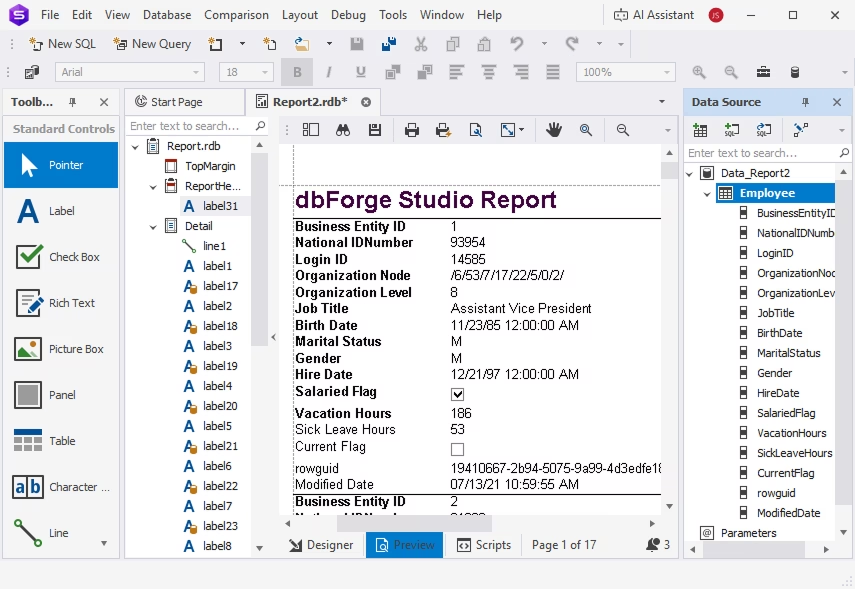
The Studio makes data analysis much more convenient with data aggregation and visualization, automated generation of data reports, and a handful of other useful features.
Capabilities:
- Create compelling data reports
- Aggregate data in pivot tables
- Compare and synchronize data
- Inspect related data in Master-Detail Browser
Faster database releases under DevOps automation
Automate the entire database lifecycle—from design and development to testing and deployment—using the comprehensive functionality of dbForge Studio for SQL Server.


dbForge Studio for MySQL
AI-powered IDE for the entire database lifecycle across MySQL, MariaDB, Amazon RDS & Aurora, and many more cloud databases and services
Best MySQL IDE You Can Find
dbForge Studio for MySQL is a high-end IDE for MySQL and MariaDB, a comprehensive solution designed to make nearly every aspect of your work with databases quick and effortless. With its clean and intuitive GUI, the Studio has proved to be a perfect fit for beginners and seasoned pros alike—and the wealth of its features covers quite a few tasks with ease and precision.
Features Overview
Here’s everything you need to work with MySQL databases most effectively
SQL development
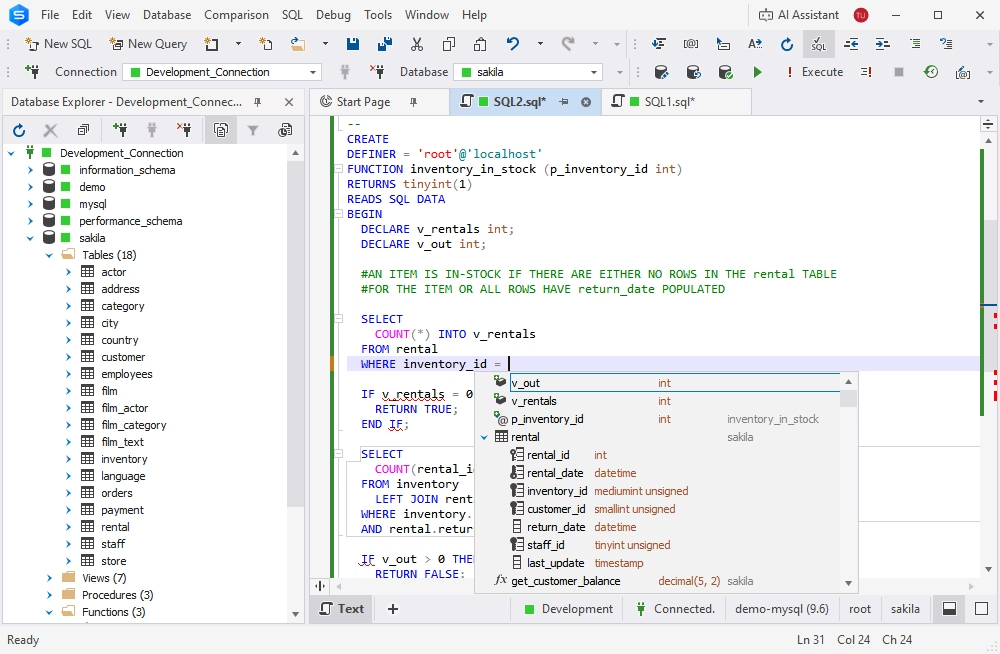
dbForge Studio for MySQL provides you with an exhaustive set of tools to speed up your daily SQL development.
- SQL Editor
- MySQL Debugger
- Visual Query Builder
- SQL coding assistance
- Database projects
- Query Profiler
- Query execution plans
- Data Generator
- Source Control
Database design
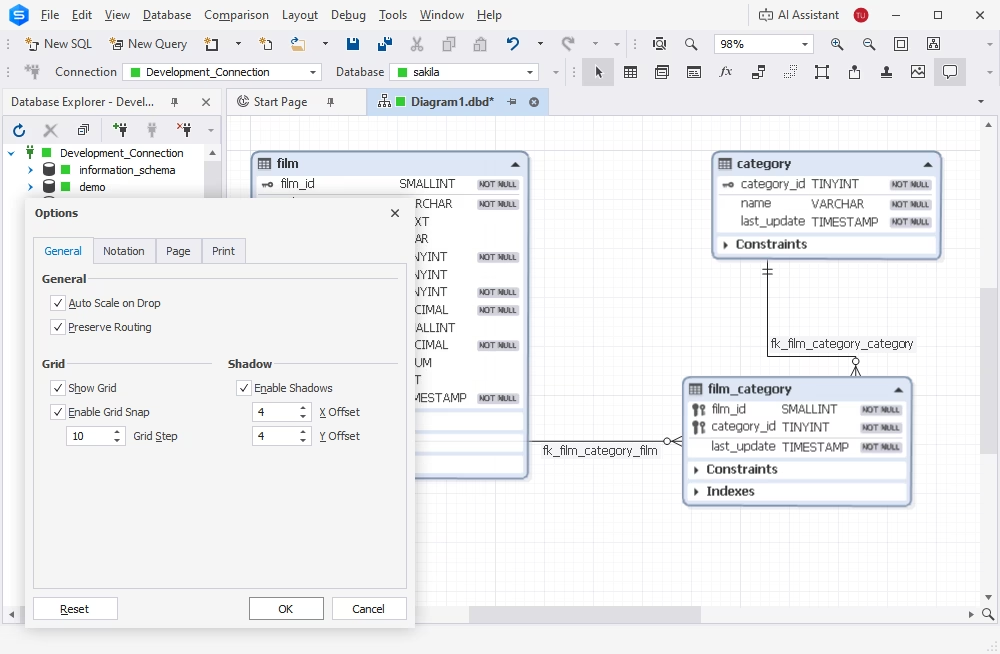
Designing databases for a new project or modifying existing database structures has never been easier. dbForge Studio, being one of the top MySQL GUI tools on the market, has everything it takes to help you keep up with the growth of your database-centered software and the ever-evolving requirements for data storage and management.
- Visual object editors
- Table Designer
- Database diagrams
- Database refactoring
- Schema comparison and synchronization
- Documenter
- SQL Editor
Data management
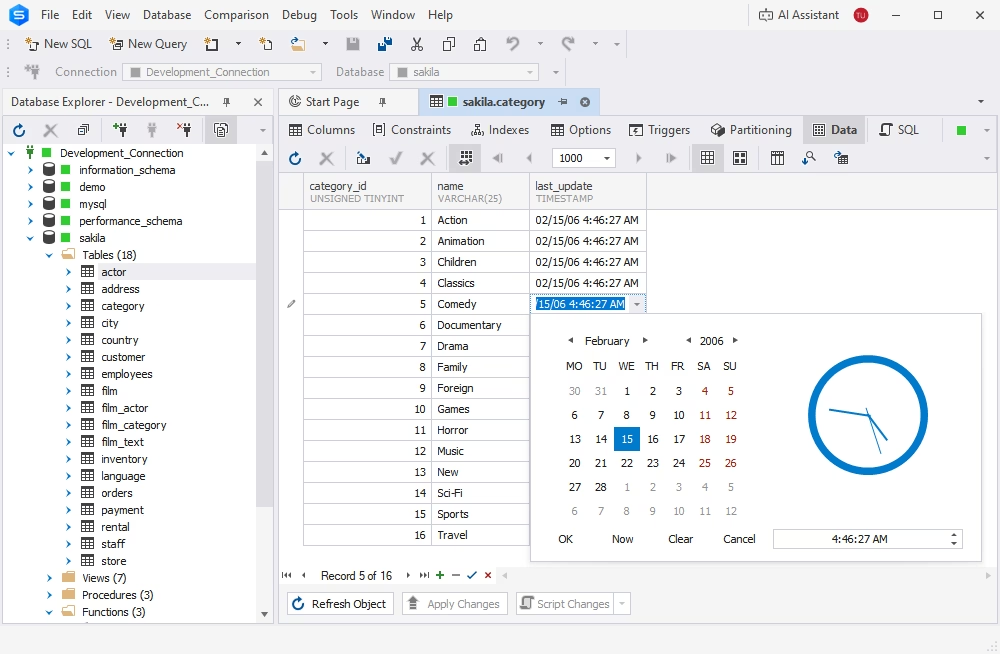
dbForge Studio can easily become the ultimate MySQL viewer for your data, helping you ensure its integrity, security, and accessibility. With the Studio, you get an inclusive set of features aimed at storing, organizing, editing, and migrating datasets of any size with next to no effort.
- Data viewer and editor
- Data export
- Data import
- Data migration
- Data comparison and synchronization
- Data search
Database management and operations
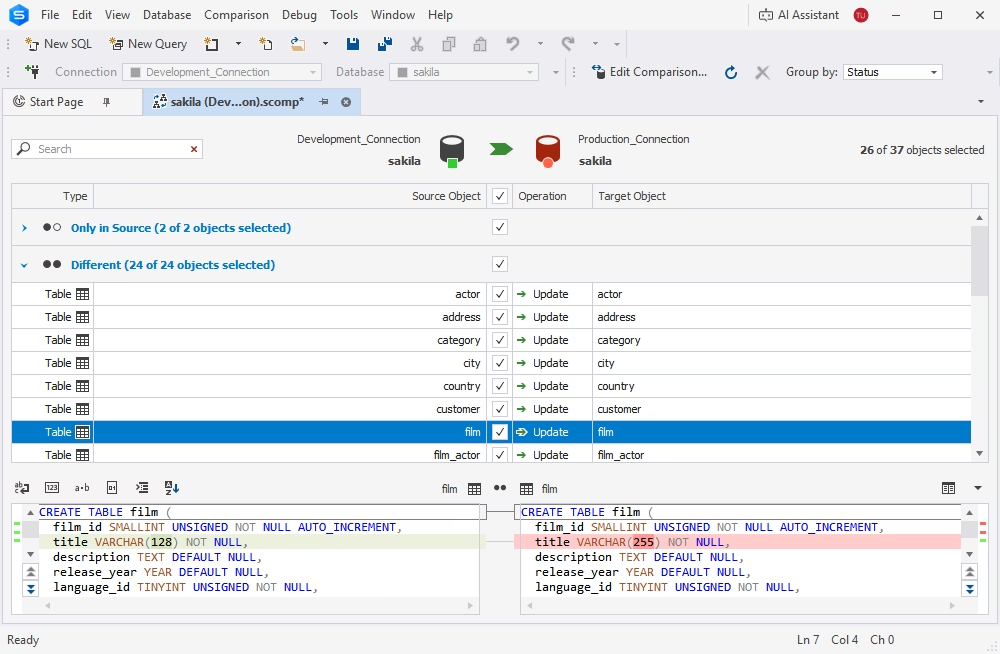
dbForge Studio helps you manage, migrate, and deploy MySQL and MariaDB databases across different environments with ease. Streamlined database operations are one of the most vital steps toward easy optimization and scaling of your entire product development.
- Schema comparison and synchronization
- Data comparison and synchronization
- Backup and recovery
- Database migration
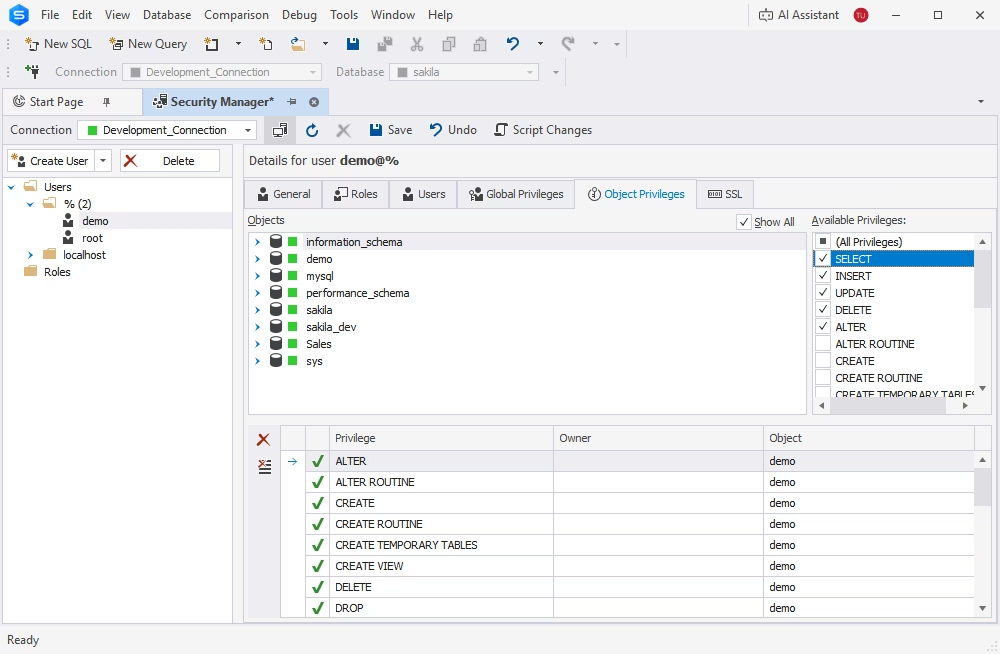
- User management
- Security Manager
Database administration
Your routine database administration becomes an extremely easy task with the Studio at hand. Its comprehensive toolset provides you with full control over server configuration, performance tuning, session monitoring, service management, and table maintenance.
- Backup and recovery
- User management
- Session Manager
- Security Manager
- Table maintenance
- Database copying
Data analysis and reporting
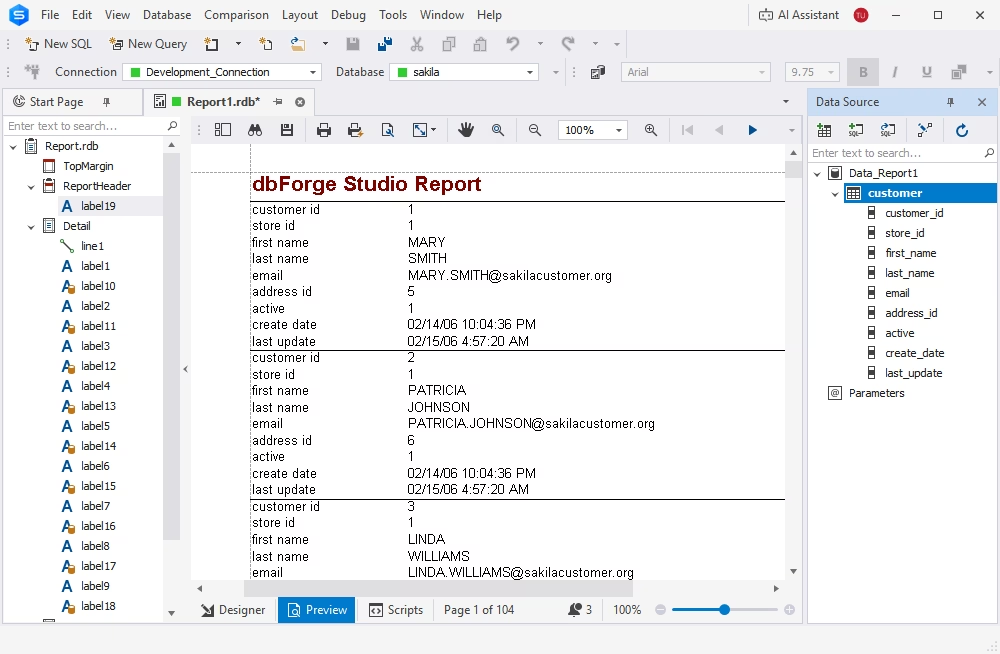
The Studio helps you aggregate any amount of data and scrutinize it to identify trends, patterns, and anomalies. With its assistance, you can get actionable insights that can be translated into compelling data reports.
- Visual Query Builder
- SQL Editor with coding assistance
- Data search
- Pivot tables
- Data reports
- Documenter
- Master-Detail Browser
Automation
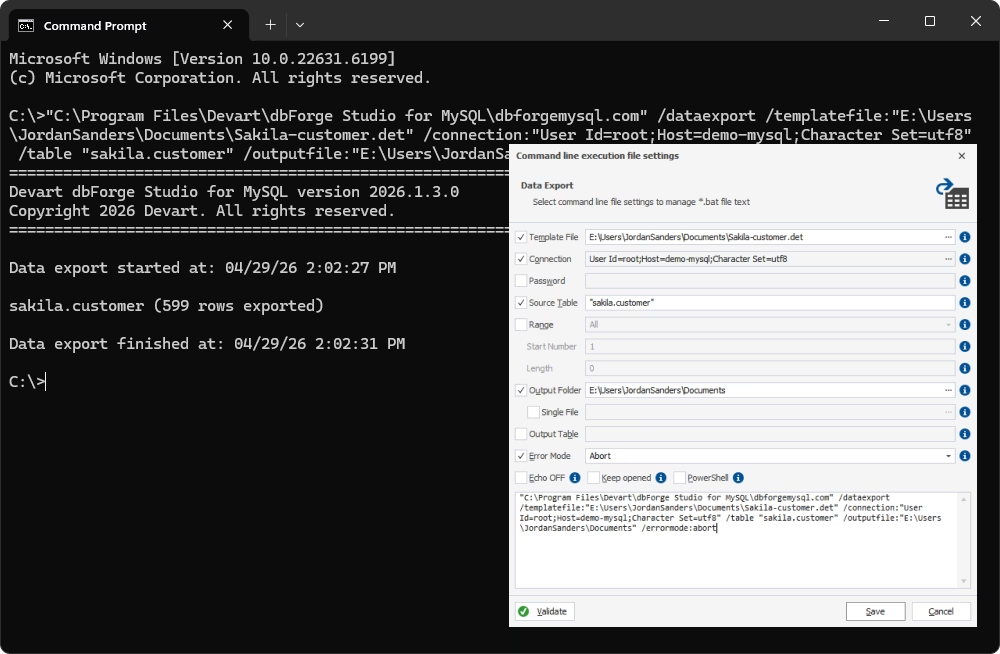
Last but not least, a large portion of the Studio’s functionality offers extensive automation options. Using the standard command-line interface, you can easily automate recurring database operations to save your valuable time and sharpen your focus on things that require your attention the most.
- CLI-powered data comparison
- CLI-powered schema comparison
- CLI-powered backup and recovery
- CLI-powered data import and export

dbForge Studio for Oracle
Multifunctional Oracle IDE – your single solution for all tasks
Speed up your PL/SQL coding, manage data with ease, and automate routine administration tasks with the ultimate Oracle Database software
dbForge AI Assistant
Meet your personal AI-powered assistant that will instantly level up your PL/SQL development.
- Context-aware query generation
- Instant conversion of natural language to SQL
- Query optimization
- SQL explanations
- SQL troubleshooting
- Error analysis and recommendations
- AI chat

PL/SQL development
dbForge Studio helps you write, format, and debug PL/SQL with a number of coding assistance tools.
- IntelliSense-like PL/SQL code completion
- PL/SQL Formatter
- Query Profiler
- Code snippets
- PL/SQL Debugger
- Oracle PL/SQL performance tuning

Data modeling and design
With the Studio, you can design Oracle databases and build queries visually, as well as manage database objects.
- Visual Query Builder
- Visual Database Designer
- Database diagrams
- Visual editors for schema objects
- Table Designer
- Database projects

Change management and operations with data
The Studio will also help you compare, sync, and migrate Oracle schemas and table data with just a few clicks.
- Data import and data export
- Schema export and import (dump)
- Data comparison and synchronization
- Schema comparison and synchronization

Data analysis and reporting
You can easily aggregate data for analysis in pivot tables, scrutinize related data in Master-Detail Browser, and design highly customizable data reports with charts in multiple formats.
- Pivot tables
- Data Report Designer
- Automated data report delivery
- Object search
- Master-Detail Browser

Latest Updates

What’s New in dbForge 2026.1: Enhanced SQL Tools


